
Building Mirror for my own Bell’s palsy practice
A browser-local facial-exercise companion that began with my own Bell’s palsy practice.
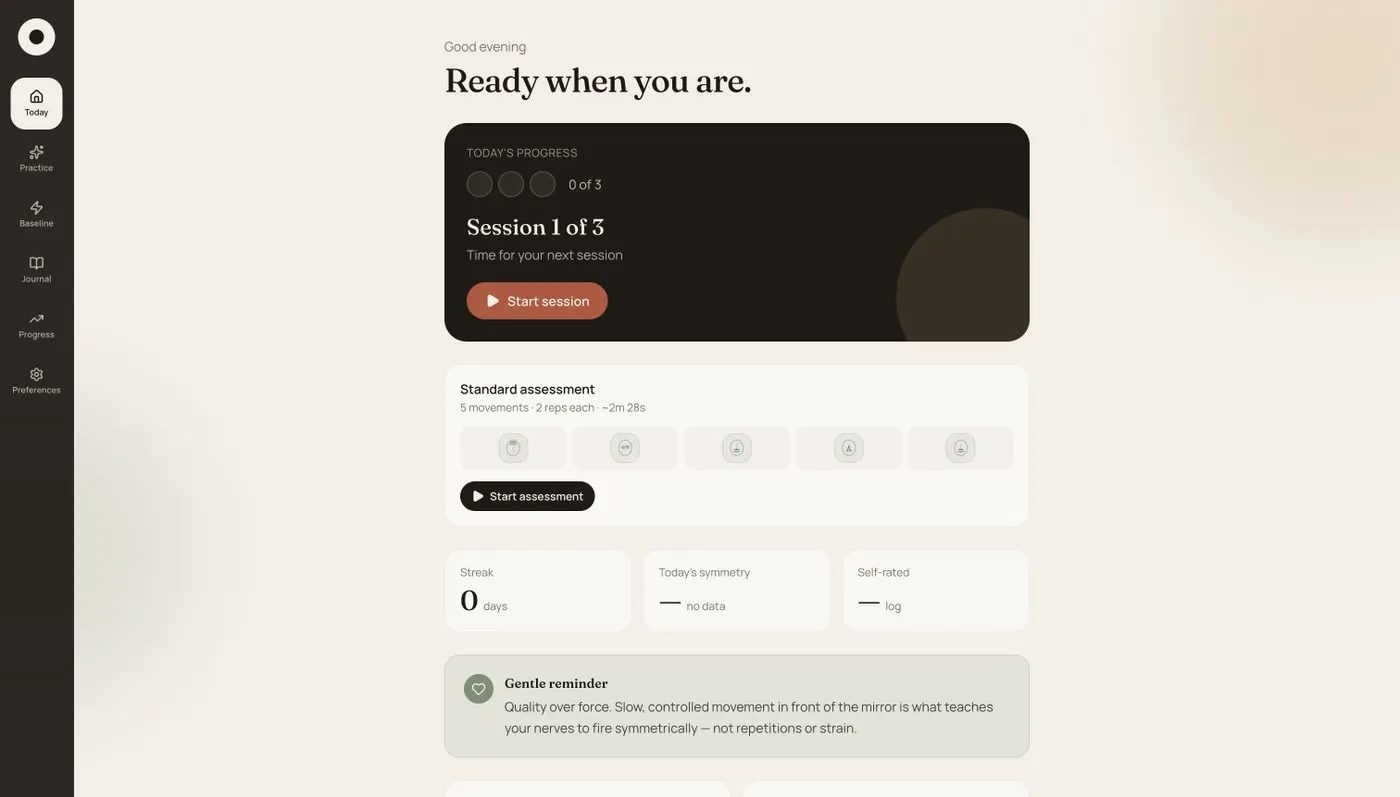
Mirror began with my own Bell’s palsy exercise routine. I wanted to observe facial movement, compare it with my baseline, and keep a record I could return to. That personal need became a browser-based companion for guided practice, left/right movement feedback, and session history.
I needed to turn camera frames into movement feedback without overstating what the measurements could tell me.
What the model does—and what I built around it
Mirror uses Google MediaPipe Tasks Vision Face Landmarker. The model provides a dense face mesh, expression-related blendshape coefficients, and a transformation matrix describing the detected face’s pose.
The application runs it in video mode for one face. Camera processing happens in the browser; there is no backend service in the published codebase.
MediaPipe supplies the geometry. Mirror’s own code turns that geometry into exercise-specific movement measurements, left/right comparisons, and changes relative to a saved baseline. The model isn’t itself producing a medical assessment.
I used Codex during development. That’s separate from the technology processing camera frames in the finished app: the runtime vision model is MediaPipe. I didn’t train a new clinical model.
Establishing a neutral face first
Before scoring a movement, Mirror calibrates a neutral baseline. It asks the user to relax their face and collects 24 stable frames; if the face moves too much, collection starts again. The app averages those frames and estimates the small amount of landmark movement present at rest. That resting jitter becomes a noise floor for later measurements.
During use, the landmarks are smoothed with an exponential moving average. The implementation also uses the facial transformation matrix to account for pose and measures movement in a face-local coordinate frame. The purpose is to reduce the influence of small camera or head-position changes, rather than count them as exercise movement. Extreme angles and poor landmark detection can still distort the result.
Different exercises use different landmark groups. A brow movement and a mouth movement shouldn’t be measured as though they were the same action. The model and scoring notes explain those calculations and their fallback paths.
Balance is different from amount of movement
At its simplest, the symmetry calculation compares movement on the two sides:
symmetry = smaller_side_movement / larger_side_movementA ratio near one means the sides moved by similar amounts. It doesn’t, by itself, say how much either side moved. Missing calibration or movement below an exercise’s activation threshold should not produce a reassuring score; the app avoids scoring those cases.
Mirror also tracks affected-side movement against that side’s saved baseline and the other side during the same exercise. This separates movement balance from changes relative to the person’s earlier movement.
The saved fields use the person’s anatomical left and right, not simply the left and right of the camera image. That convention matters when looking back at a baseline. The architecture notes describe the distinction and how older image-side records are handled.
Keeping the practice on the device
The interface is a React application built with Vite. The practice flow moves through calibration, preview, rest, hold, and a summary. IndexedDB stores local history, with journal entries, reports, and progress views around the sessions.
On browsers that support the required worker bitmap transfer, detection runs in a Web Worker so the synchronous model call can happen off the UI thread. Other browsers use a main-thread fallback. That is an implementation choice, not a claim of a particular frame rate on every device.
Local camera processing keeps frames out of an application backend. It doesn’t remove the need to look after the device or any images, reports, and recordings someone exports or shares.
What the tool can tell me
I use Mirror in my own exercise and tracking routine, and my physiotherapist has also used it with other patients. These uses are not a controlled clinical evaluation.
Lighting, camera angle, calibration, and landmark estimates affect what appears on screen. A camera-derived score can’t capture pain, sensation, or the wider context a clinician considers. Mirror supports practice and self-tracking; it doesn’t diagnose Bell’s palsy, grade paralysis, prescribe treatment, replace medical care, or establish that using it caused recovery.
The project is available for personal, non-commercial use. Commercial use requires permission under the published licence. You can try the browser demo and read the source below.
Mirror in the press
Coverage of the story behind the project.